What you actually see when you sign in
Real screenshots from inside OverToo. Each role (administrator, instructor, member) gets a focused workspace with only what they need.
Commencer l’essai gratuit
Administrator
Run the whole operation from one screen
Members and instructors, the schedule, billing, reports, settings: administrators see all of it. Add a member, schedule a class, send an invoice, check who paid. No tab switching.
Members & instructors
Planning
Facturation
Paid courses
Rapports
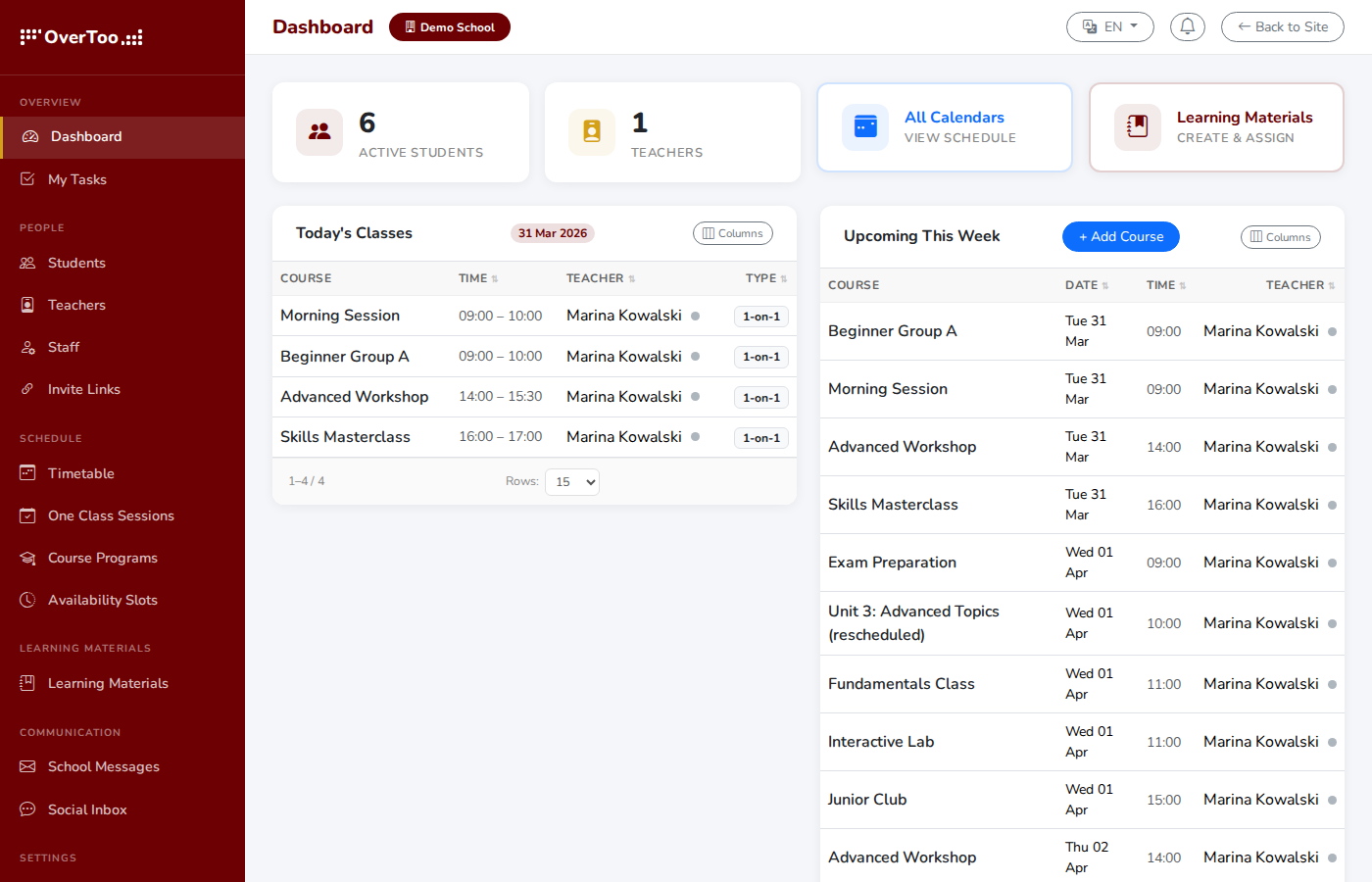
Administrator dashboard
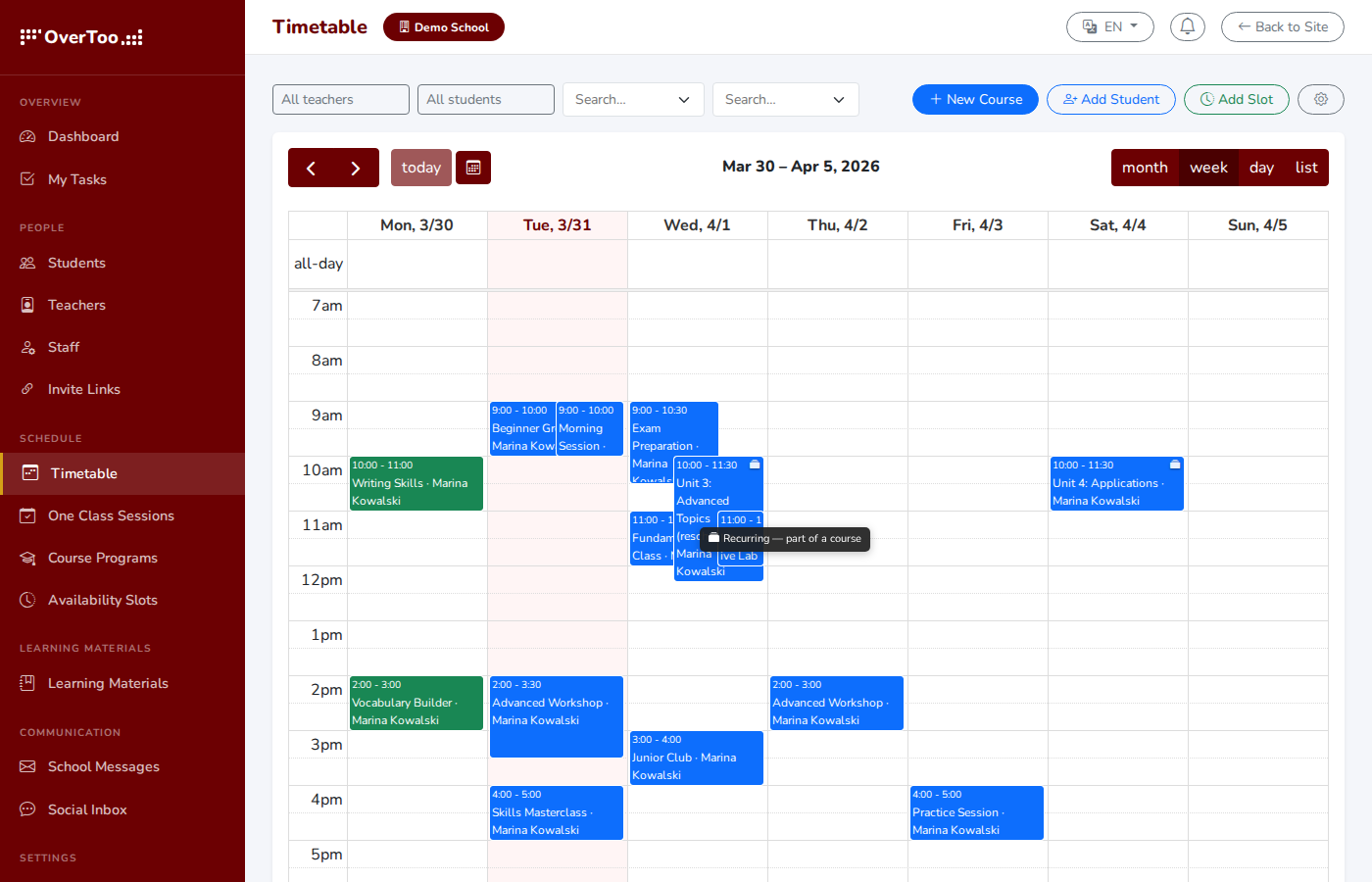
Timetable & scheduling
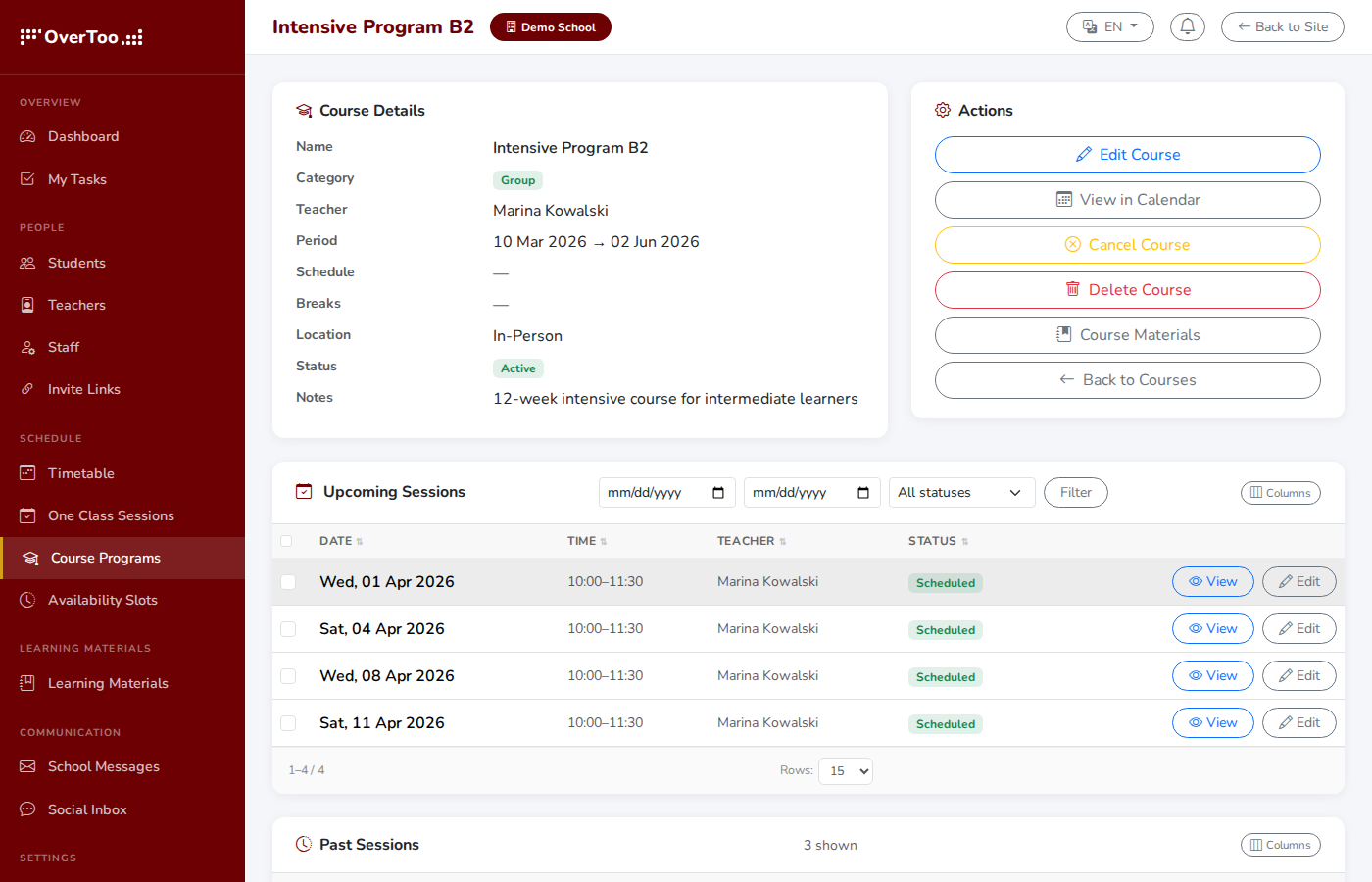
Course detail with sessions
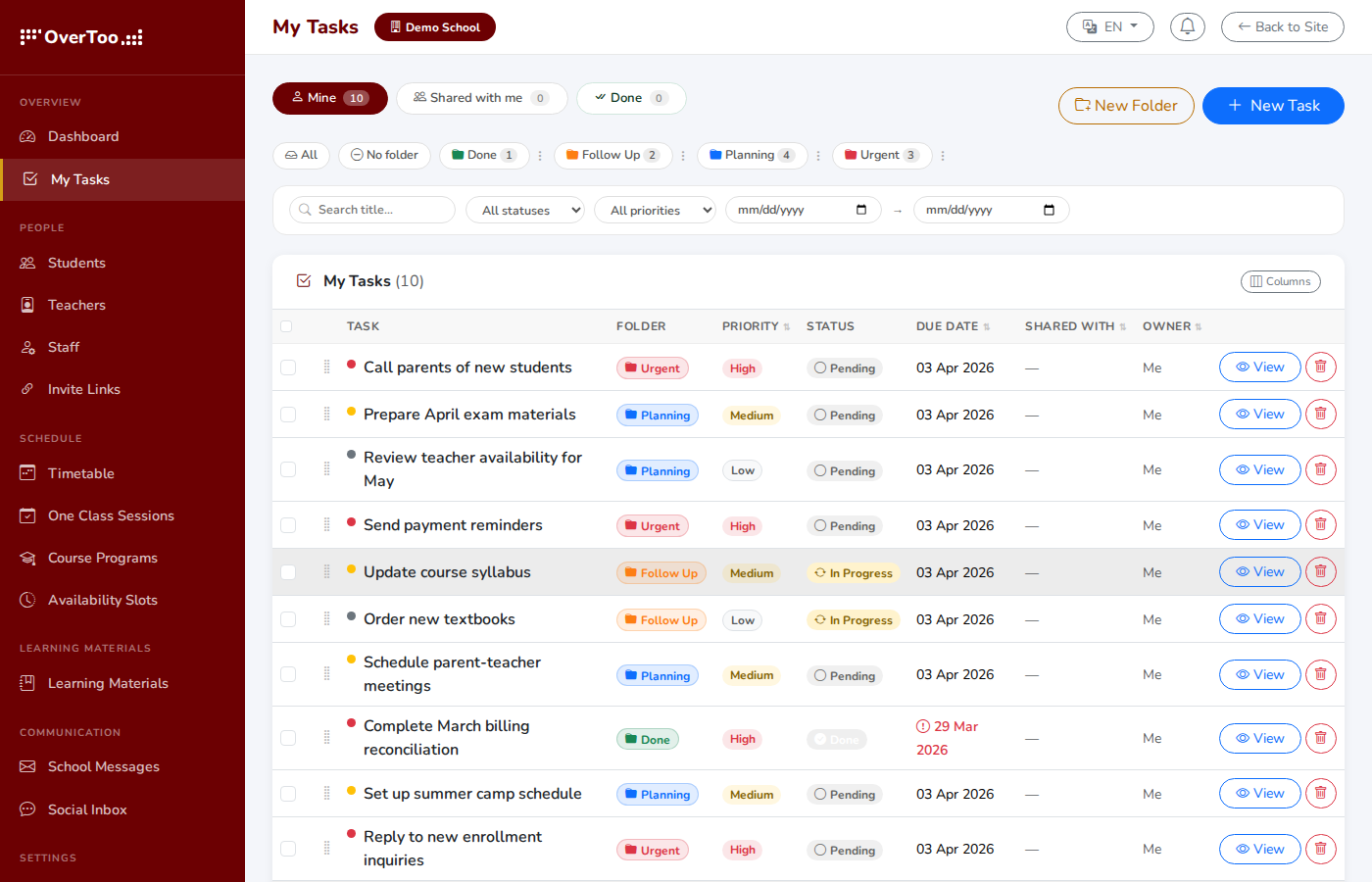
Tasks & to-dos
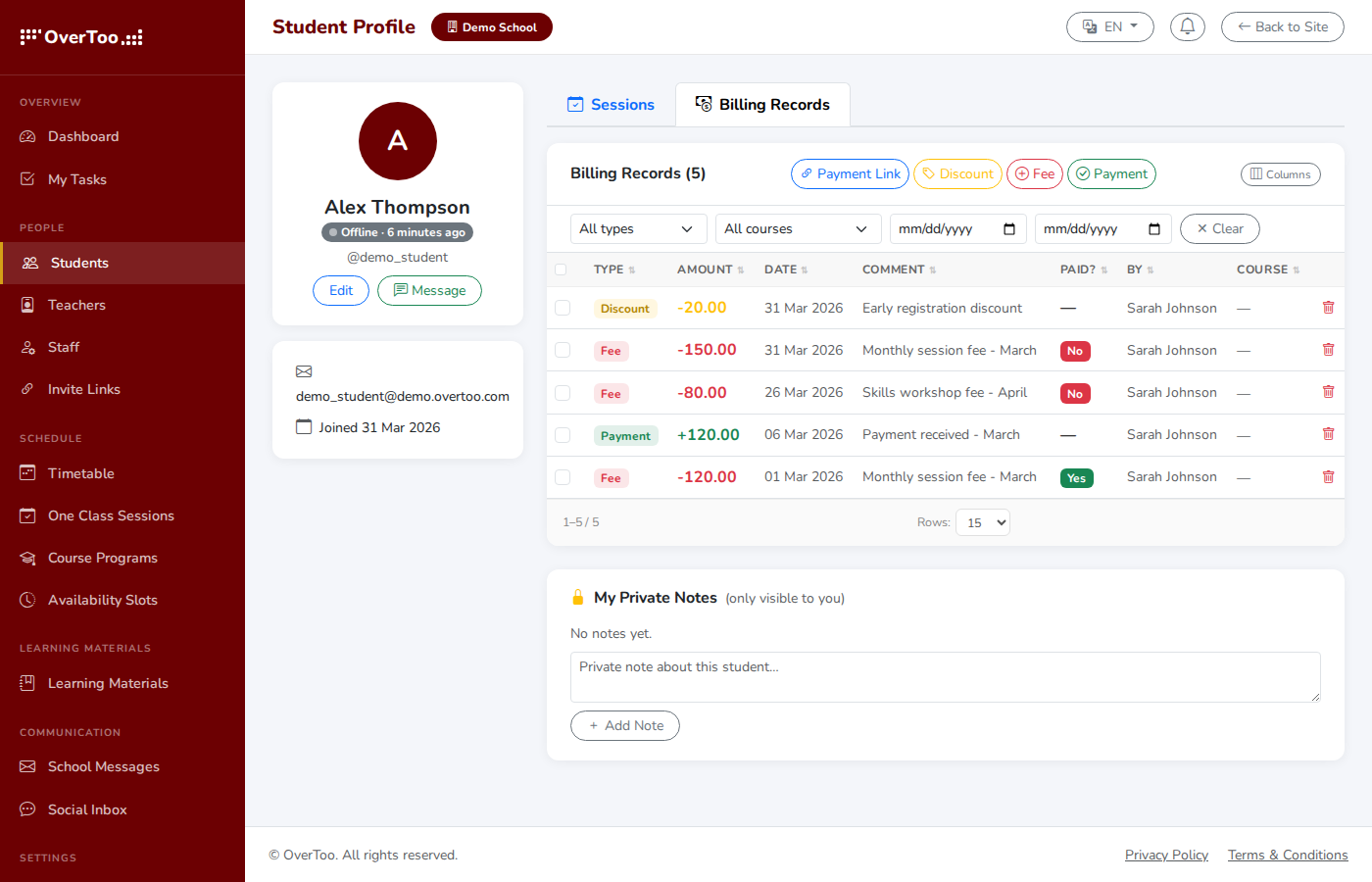
Billing records
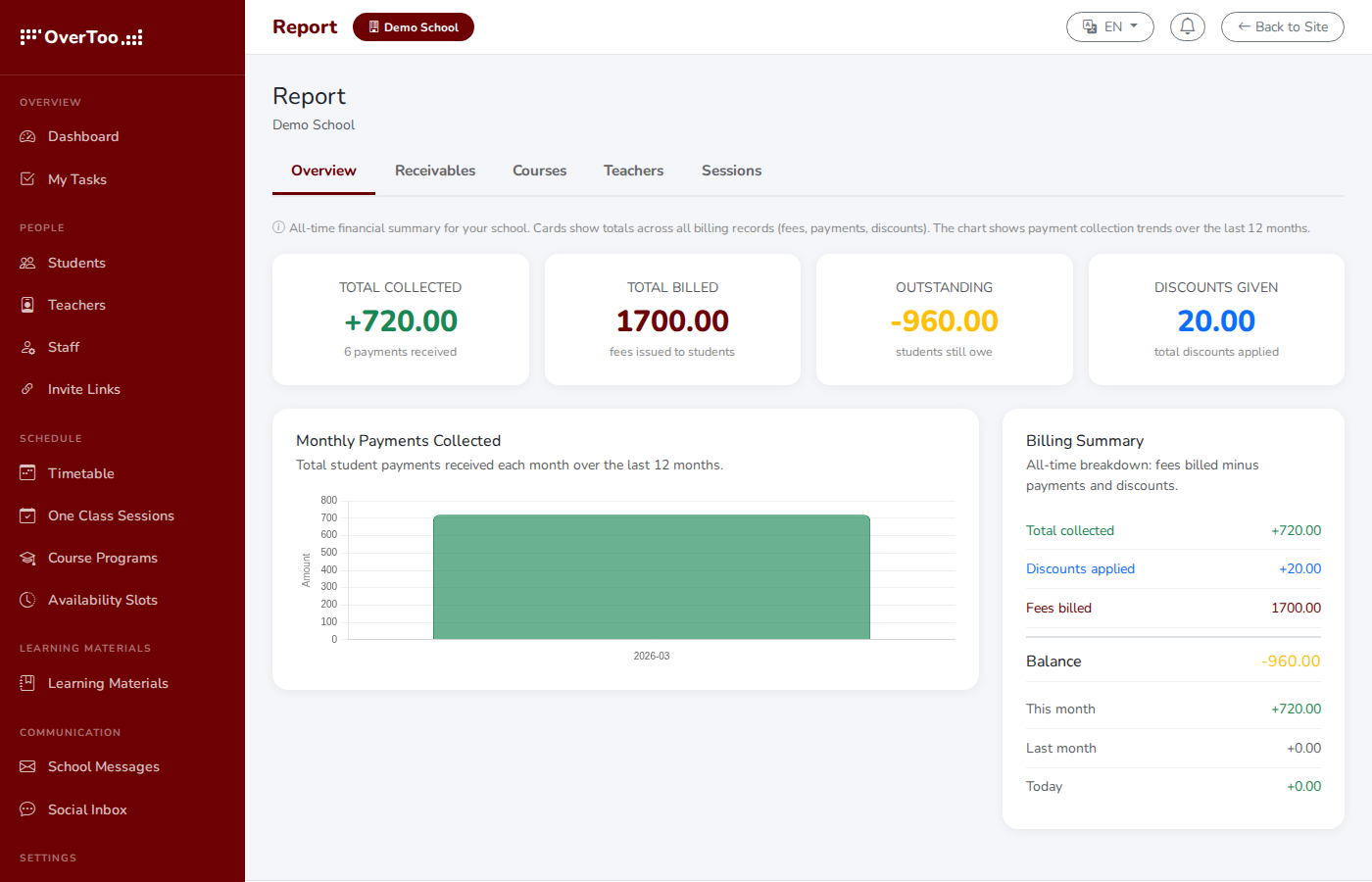
Financial reports
Instructor
A focused workspace for the people teaching
Instructors see their schedule, their members, their materials. Nothing else. No admin clutter, no settings panels. Just the tools to actually run a class.
My schedule
My members
Tableau blanc
Matériel
Disponibilité
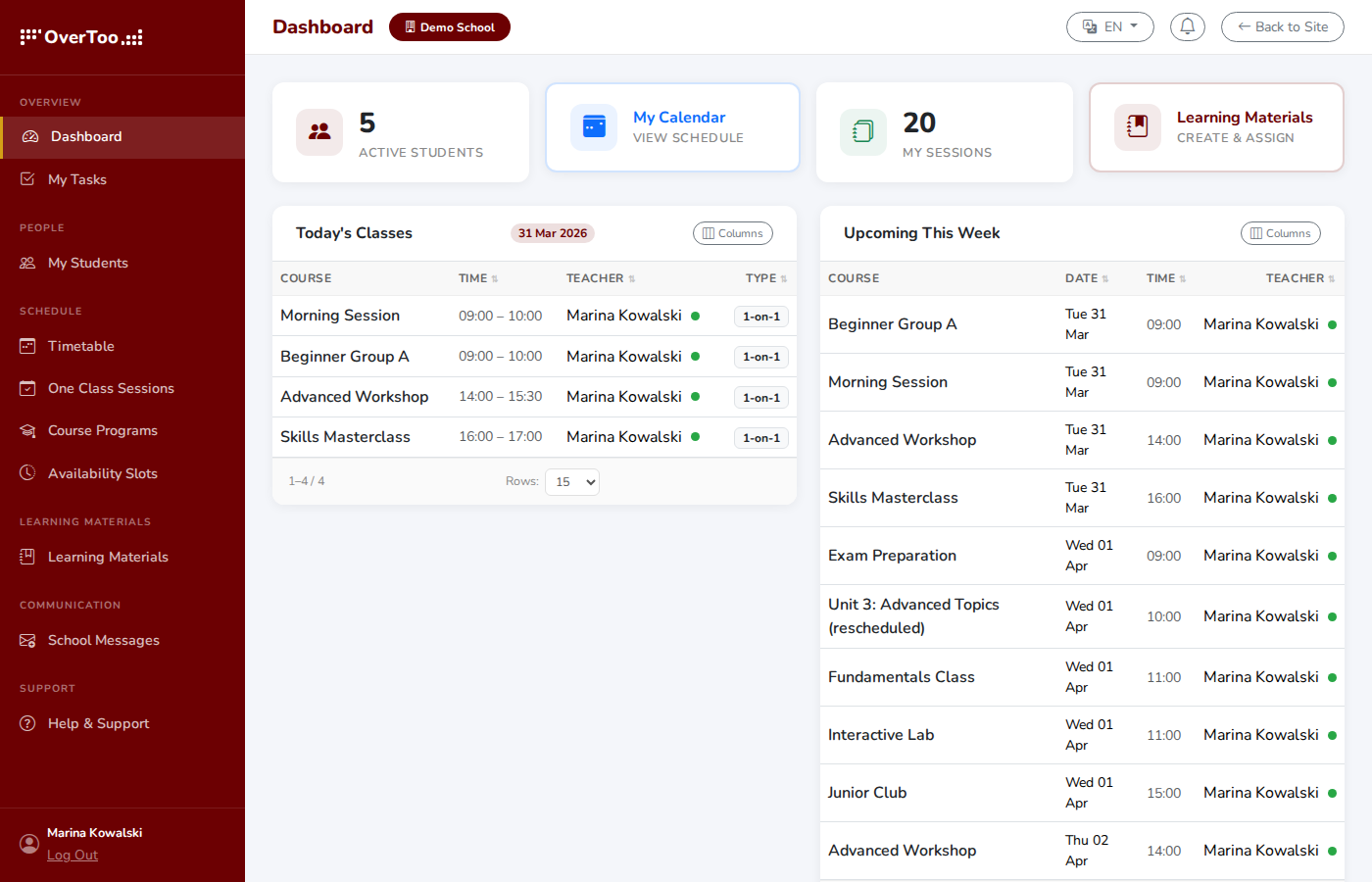
Instructor dashboard
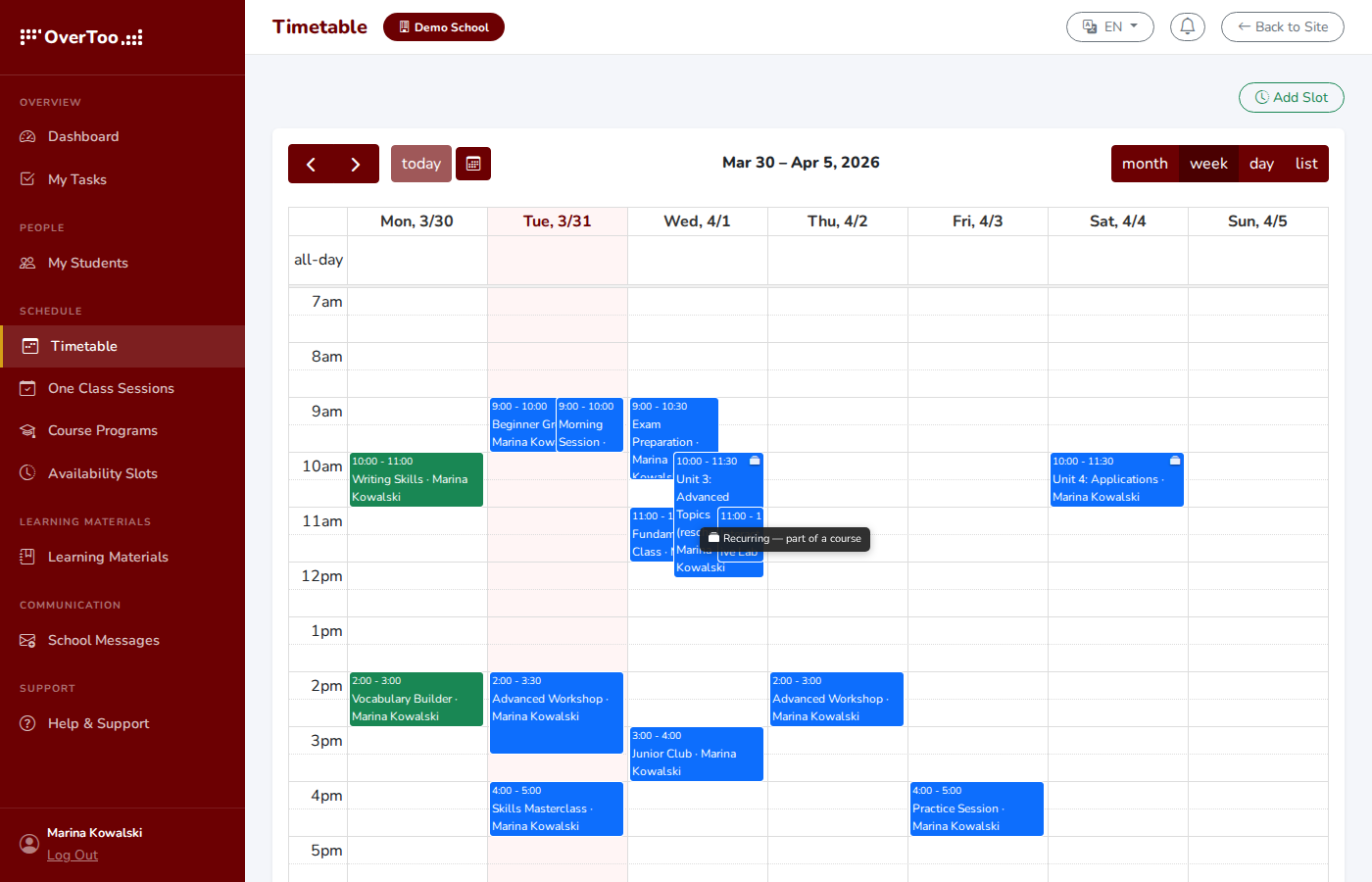
Personal timetable
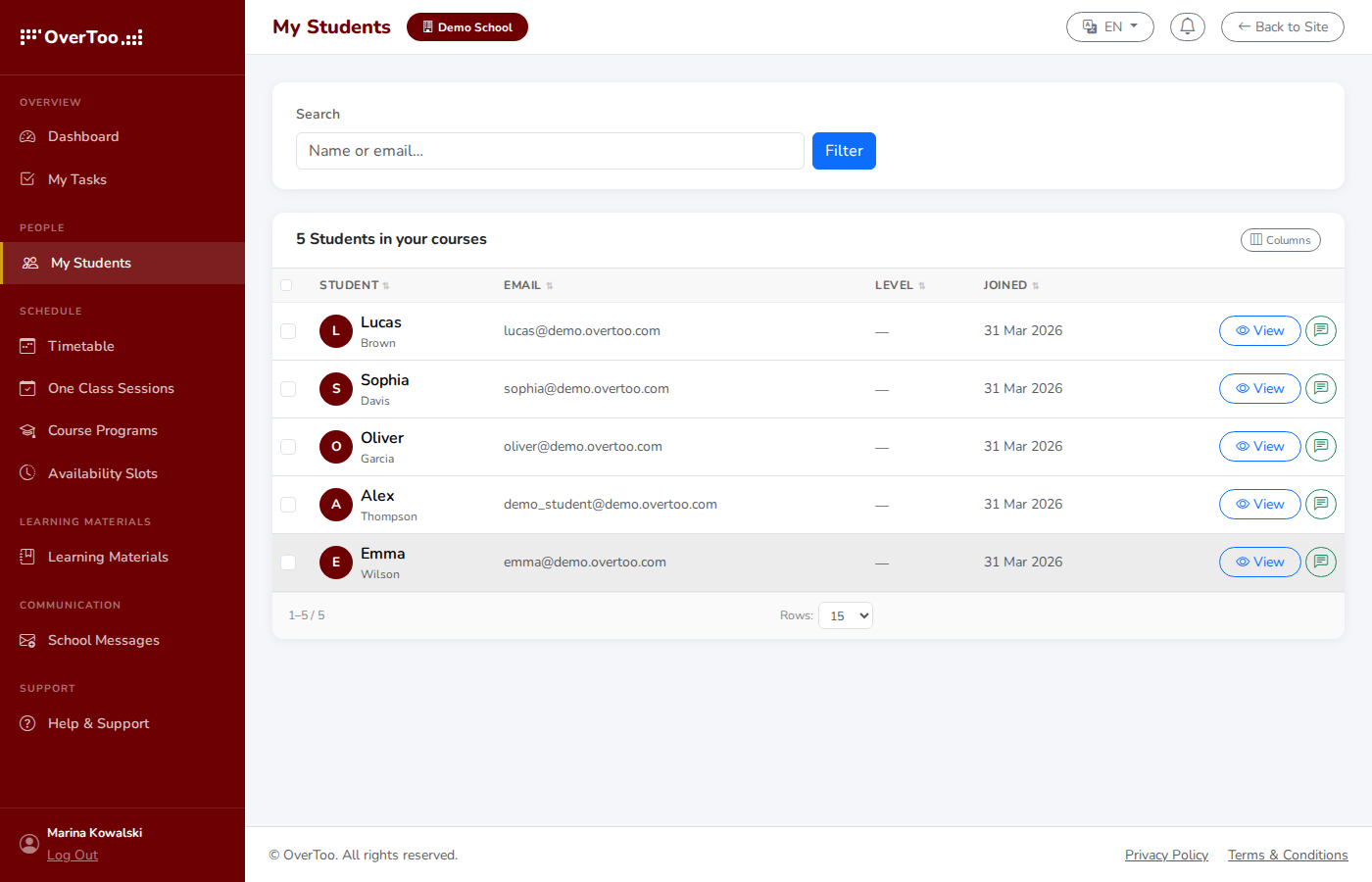
My members
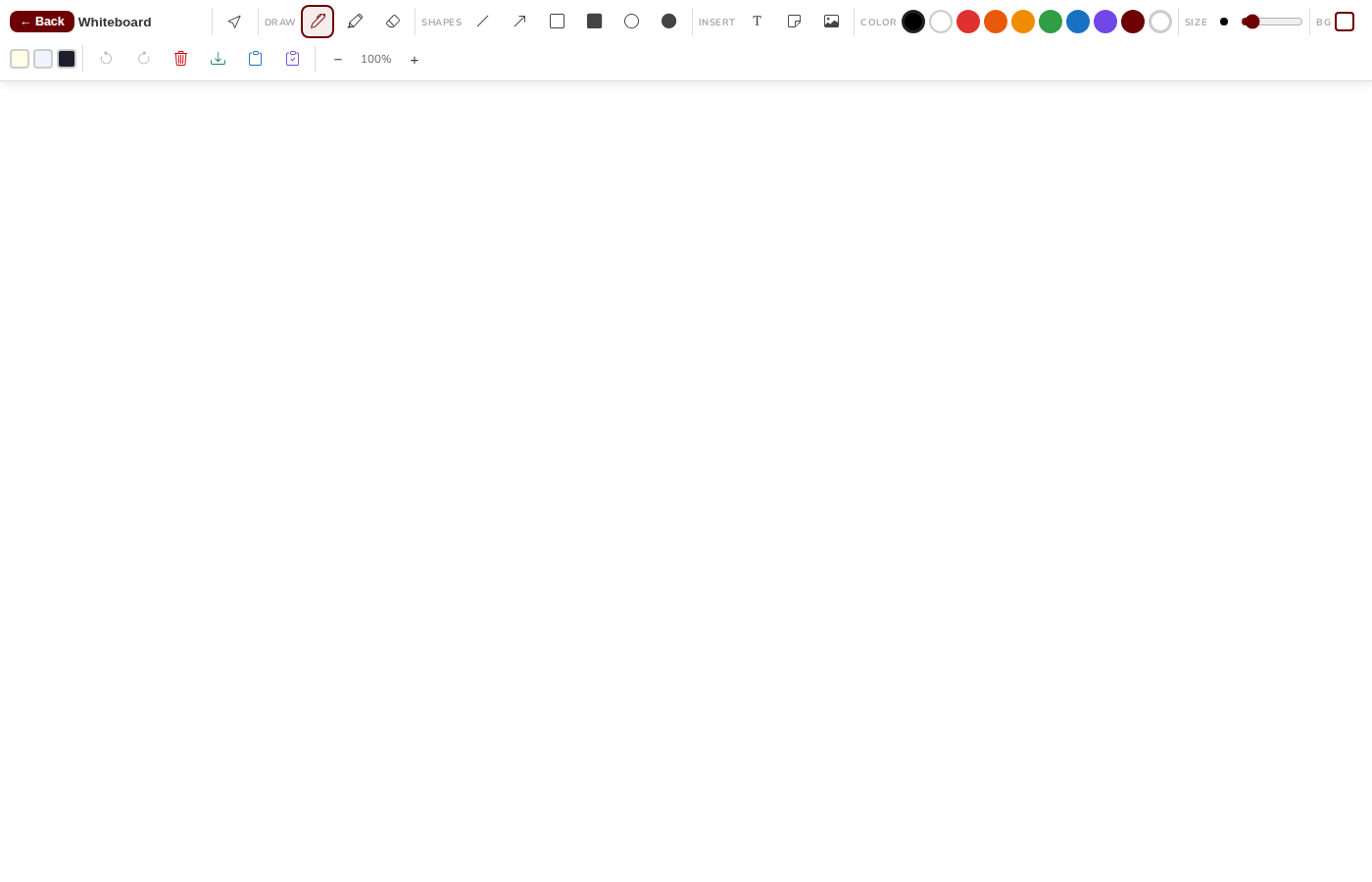
Interactive whiteboard
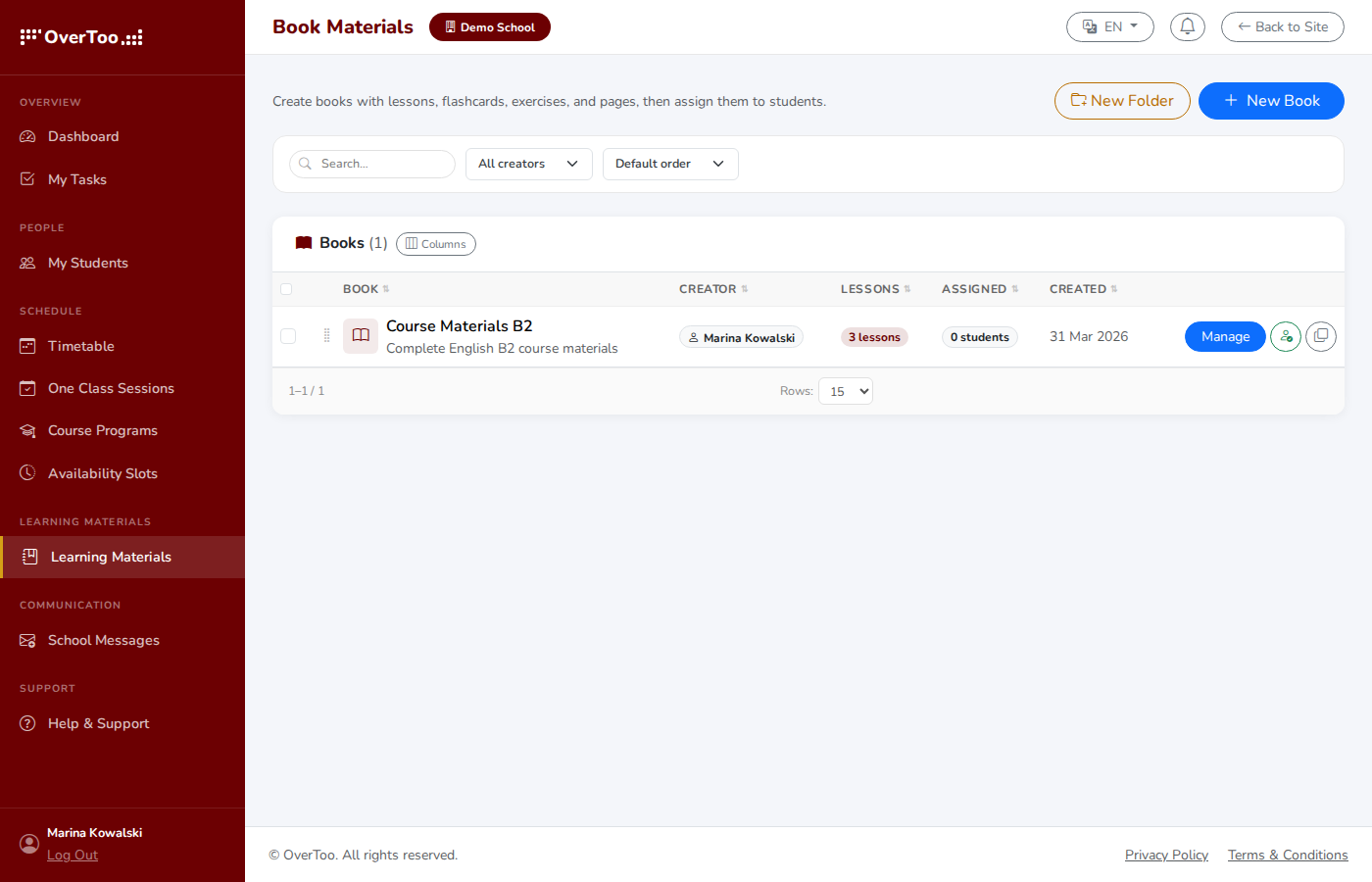
Lesson materials
Member
A simple view for the people attending
Members see what is next: upcoming classes, course materials, their calendar, their invoices. They can pay online and they do not see anything they should not.
My calendar
Matériel
Invoices
Pay online
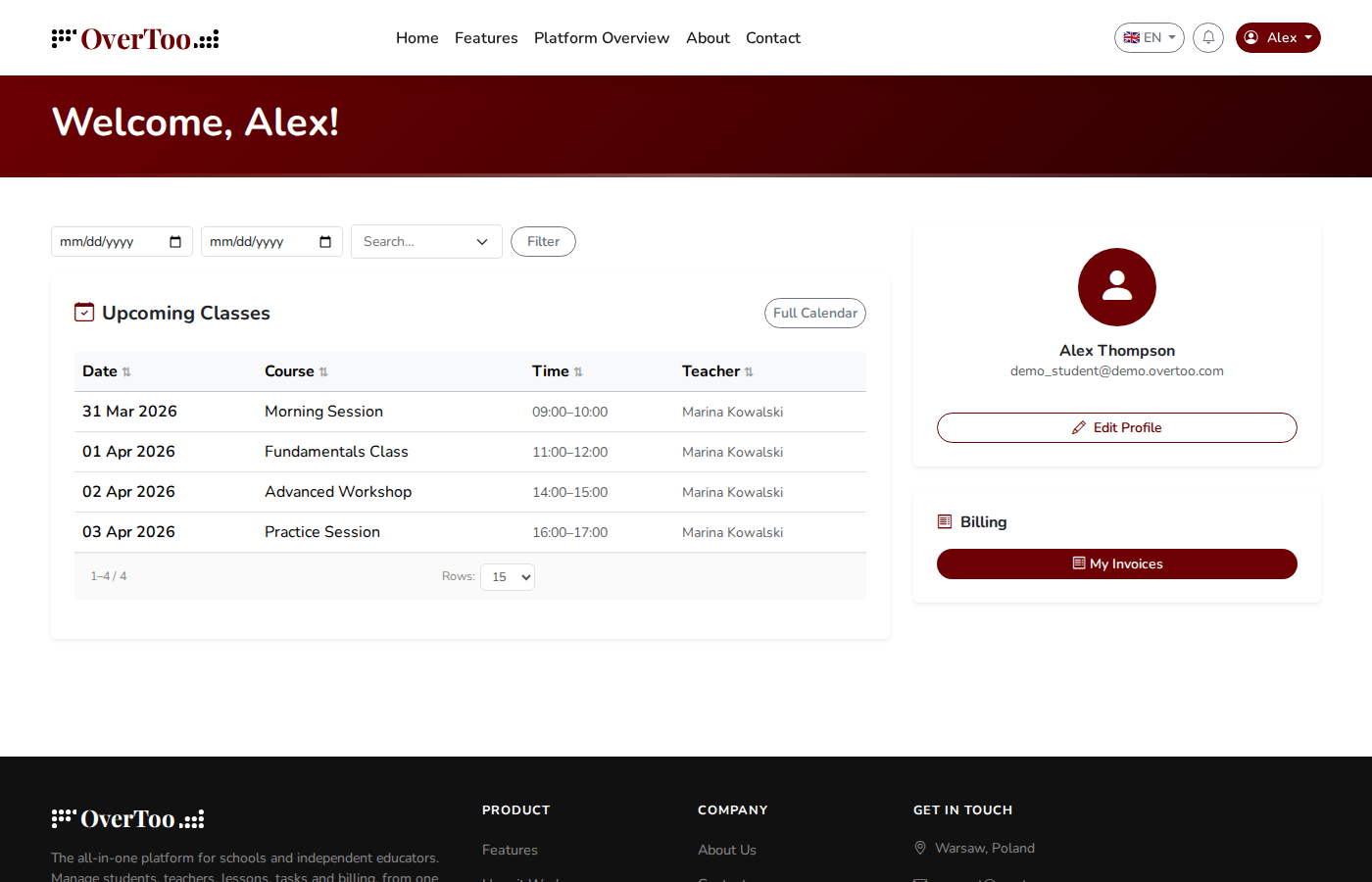
Member dashboard
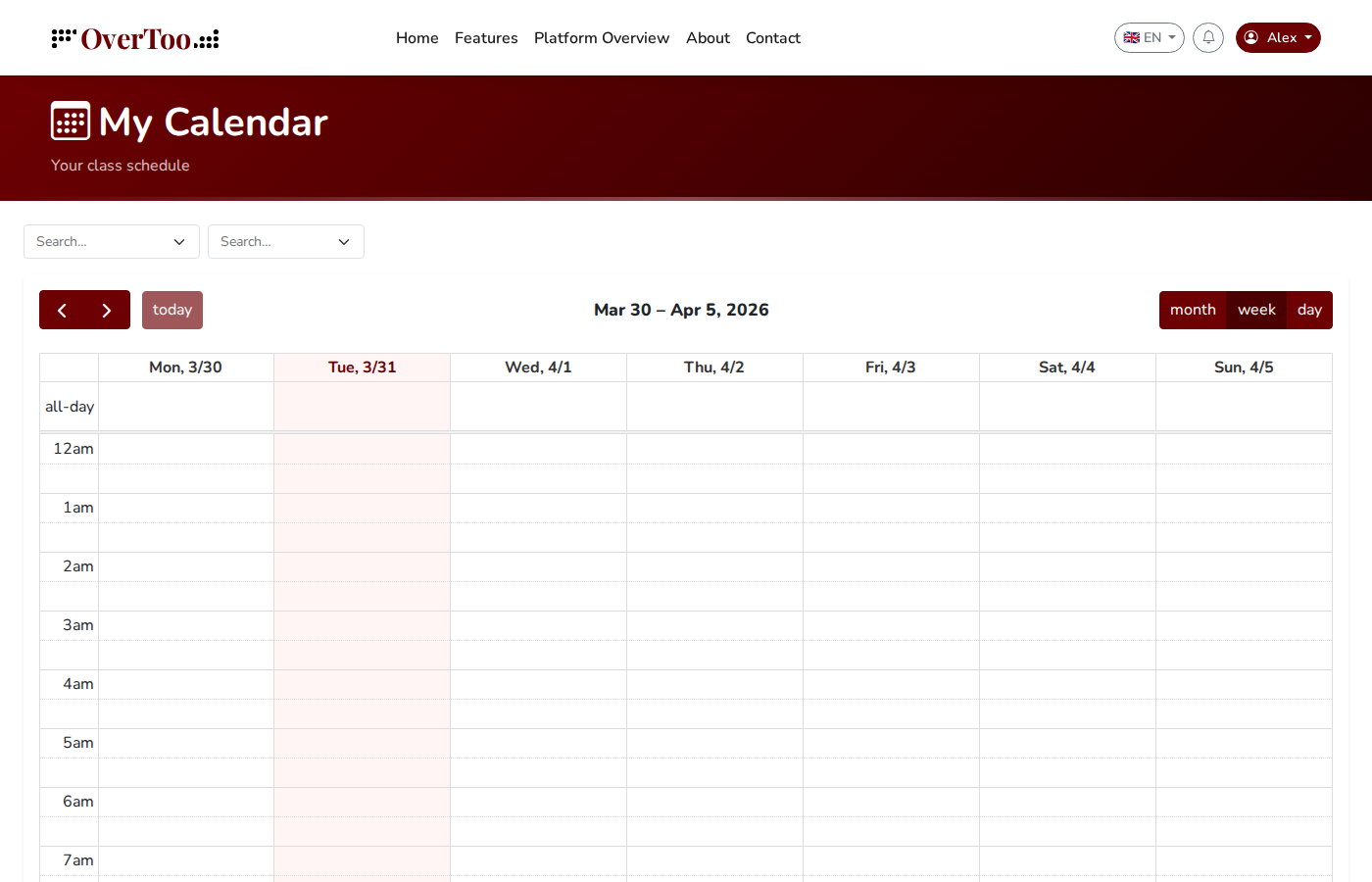
Personal calendar
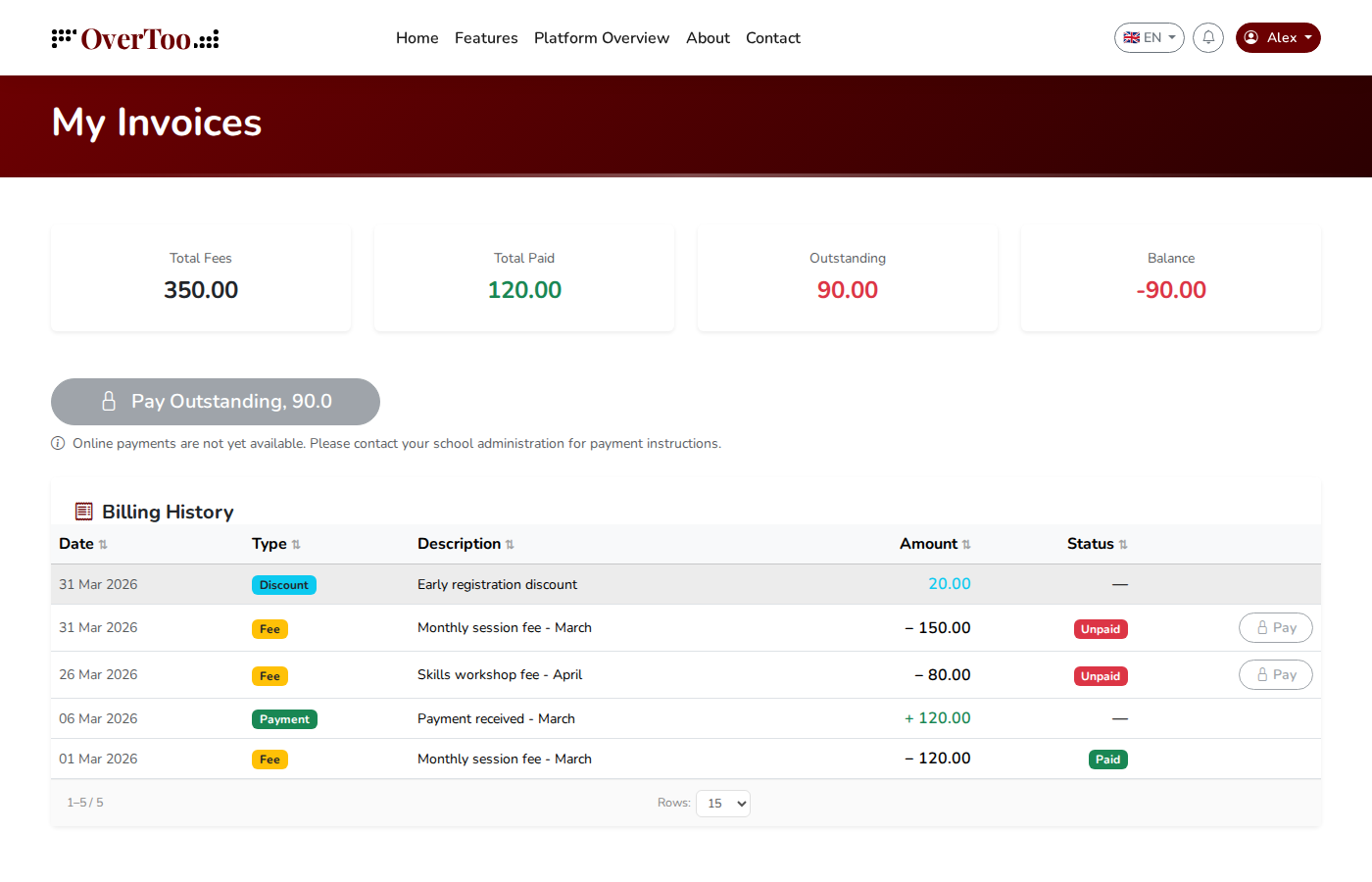
Invoices & payments
See it inside your own account.
Everything in these screenshots is part of the 14-day trial. Full access. No card.
Commencer l’essai gratuit
×
![]()